
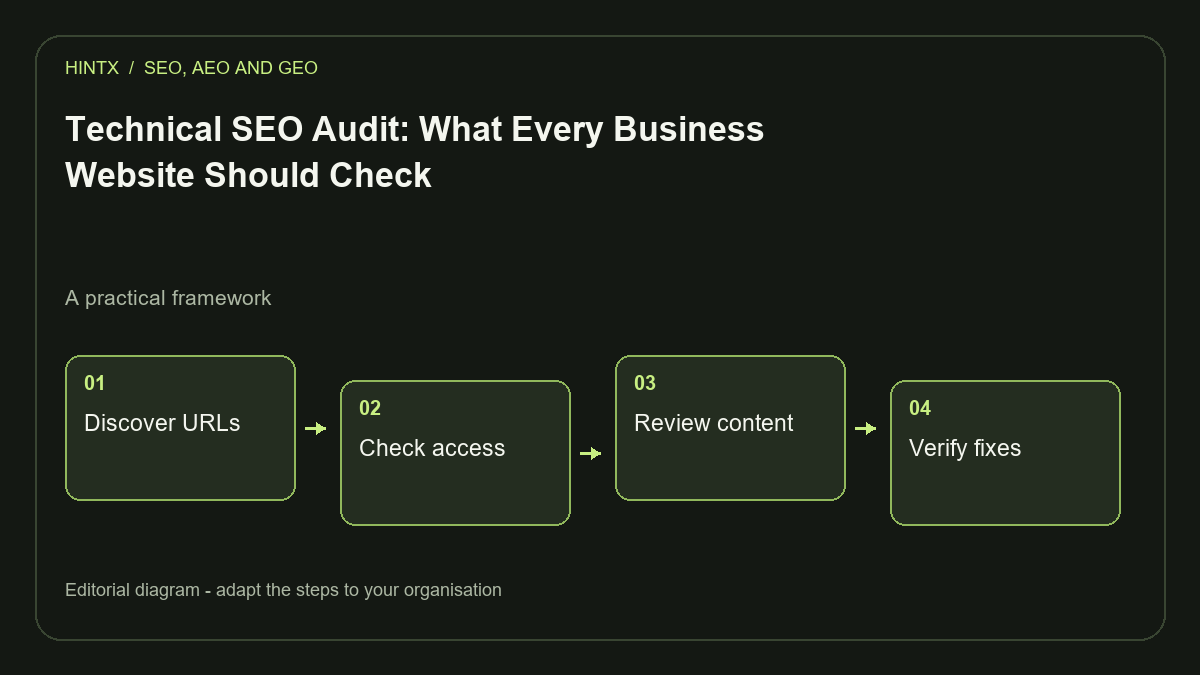
A technical SEO audit checks whether search engines can reach the right pages, understand their purpose and send visitors to a usable website. Start with access and indexing, then inspect duplicate URLs, page templates, performance and enquiry paths. Prioritise defects on commercially important pages before polishing low-value details.
For a business website, the useful output is a repair list with evidence, an owner and a way to verify each change. A score alone will not explain why a service page is absent from search or why visitors abandon its contact form. The framework below is intended for small and medium-sized business sites; very large catalogues need additional crawl-budget and filtering analysis.
1. Build a complete URL inventory
Combine the XML sitemap, links discovered by crawling, CMS records and known landing pages. A sitemap is one source, not proof that every useful page has been found. Include service details, case studies, articles, pagination and old campaign URLs. Record the status code, final destination, canonical, robots directives, title and inbound internal links for each address.
Classify URLs by their intended role: public search landing page, supporting page, private application screen or retired content. This prevents accidental recommendations to index a customer dashboard or remove a useful archive. Choose an owner for disputed URLs before changing them.
2. Check access before editing content
Google's minimum requirements include accessible crawling, a successful HTTP response and indexable content. Meeting these requirements does not guarantee inclusion. See Google's technical requirements.
Inspect robots.txt, page-level robots tags, response headers, authentication and infrastructure rules. Check a representative page without being logged into the CMS. A page that works for an administrator may fail for visitors. Compare the response HTML with the rendered page when essential text depends on JavaScript.
Keep environments separate. A local or staging website may intentionally discourage indexing. Its configuration should not be copied into production without an environment-specific review. Conversely, a preview that displays a production canonical does not prove that the live page responds correctly.
3. Resolve competing URL signals
A service might be available with several parameter combinations or an old and new slug. Decide which URL should represent the content, then align the template, internal links, redirects and sitemap. Google's canonical documentation describes redirects and canonical annotations as stronger signals than sitemap inclusion.
Do not point unrelated service pages to the homepage just to suppress duplication. Do not canonicalise every paginated archive page to page one if later pages expose different content. Inspect the purpose of each URL family and document the intended behaviour before implementing a template-wide fix.
4. Review templates and internal journeys
Check that each page has a descriptive title, a clear main heading and text that explains its actual service or subject. Review the shared template as well as individual records: one missing metadata fallback can affect many pages. Image descriptions should explain meaningful images; decorative assets do not need keyword-filled alt text.
Follow the route from an article to its relevant service and evidence page. A visitor investigating ordering software should be able to find an ordering project and a clear enquiry action. A technically valid website can still make the next step unnecessarily difficult.
5. Measure performance in context
Core Web Vitals cover loading, responsiveness and visual stability through LCP, INP and CLS. Use Google's Web Vitals guidance to distinguish real-user measurements from diagnostic lab runs. A local Lighthouse result is useful for finding bottlenecks; it is not evidence of the live site's field performance.
Inspect the largest above-the-fold image, font loading, layout dimensions, script execution and third-party requests. Test the mobile navigation and form while the page is still loading. Fixing a layout shift that moves the submit button can be more valuable than shaving a tiny amount from an already fast secondary image.
6. Convert findings into an actionable backlog
| Finding | Business consequence | Verification |
|---|---|---|
| Service page accidentally marked noindex | Important offer cannot compete normally in search | Check rendered directive and later indexing status |
| Old portfolio link returns 404 | Buyer cannot inspect supporting work | Follow the repaired link as a visitor |
| Large hero image loads slowly | Mobile visitors wait for primary content | Compare equivalent lab runs and later field data |
| Form shows success but loses the enquiry | Marketing traffic produces no usable lead | Trace a permitted test submission through delivery |
The examples are illustrative. Rank real findings by affected commercial journeys, number of URLs, severity and confidence. Record suspected issues separately from reproduced failures. Assign a validation step that checks the outcome, rather than merely confirming that a file changed.
A practical review cycle
- Capture a baseline export and representative screenshots.
- Repair access, broken destinations and conflicting indexing signals.
- Review high-value service and case-study templates.
- Test enquiry completion and consent-dependent measurement.
- Re-crawl changed URL families and monitor search data after release.
Keep a short change log. If several things change together, attribution becomes difficult: an improvement in enquiries may reflect stronger copy, a repaired form or different traffic. Avoid announcing a ranking gain without checking the query, country, device and comparison period.
Frequently asked questions
How often should a business run a technical audit?
Use a regular review cycle and add focused checks after migrations, template changes and major content releases. The frequency should reflect how often the website changes and how costly a missed defect would be.
Can free tools support a useful audit?
Yes. Search Console, browser developer tools, sitemap inspection and a carefully scoped crawler can expose many problems. Document coverage limits so a small crawl is not presented as a complete audit.
Does fixing technical SEO guarantee rankings?
No. It removes obstacles and improves the site experience. Content relevance, competition and other factors still affect visibility.
What should an agency deliver?
Ask for affected URLs, reproducible evidence, a prioritised repair list and verification results. The report should distinguish confirmed defects, recommendations and checks requiring live account access.
HINTX's Digital Growth & Marketing Intelligence service connects website analysis with commercial priorities. Discuss the pages and enquiry journeys you need audited.


Login to comment
To post a comment, you must be logged in. Please login. Login
Comments (0)