
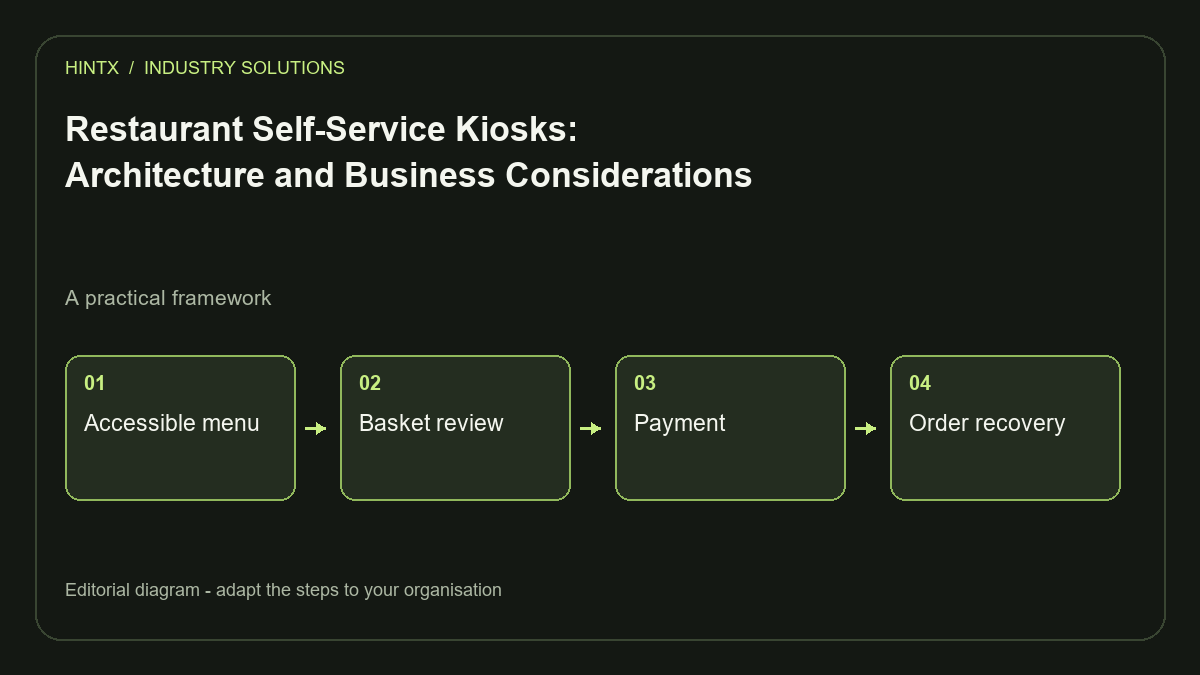
A restaurant self-service kiosk is useful when it helps customers complete orders and fits the kitchen's capacity. Its architecture must connect menu rules, payment, order acceptance and staff assistance. Evaluate the full service workflow, not just the touchscreen or a vendor's average-order-value claim.
A kiosk changes where work happens. Customers enter their own choices, but staff still handle questions, failed payments, unavailable items, collection and exceptions. A successful deployment makes those responsibilities clear and measures whether the overall service improves.
Decide whether the service model fits
Observe an actual peak period. Is the constraint taking orders, producing food, collecting payments or handing over completed orders? A kiosk can move demand into the kitchen faster without increasing preparation capacity. That may shorten one queue while lengthening another.
Document customer needs, menu complexity and available floor space. A quick-service menu with clear choices differs from a table-service experience involving extensive discussion. Keep an assisted route for customers who cannot or prefer not to use the kiosk.
Define a pilot question such as “Can customers complete a collection order with fewer staff interventions while kitchen wait times remain acceptable?” That is testable. “Make the restaurant more digital” is not a useful acceptance criterion.
Connect the kiosk to a shared menu model
The kiosk should use the same authoritative product and modifier rules as the POS or ordering backend. Square's Catalog API offers a concrete example of products, variations and related catalogue objects.
Store stable identifiers alongside displayed names. If “large fries” is renamed, historical orders should retain the ordered item and price. Branch availability should update without requiring staff to maintain a separate kiosk menu by hand.
Test combinations rather than only individual items. A meal may require a drink, allow one substitution and prohibit another. The kiosk should explain why a choice is unavailable, preserve valid choices and show the total before the customer proceeds.
Design a short, recoverable customer journey
- Choose the ordering mode, such as eat-in or takeaway.
- Browse the available menu and configure items.
- Review the basket, quantities and total.
- Complete payment through the supported terminal flow.
- Receive a clear order reference and collection instruction.
- Reset the session before the next customer.
Allow customers to go back without unexpectedly losing their basket. If a timeout is necessary, provide a clear warning and a way to continue. After completion, remove previous customer information from the next session.
Make help visible at the point of difficulty. A payment problem needs a practical staff-assistance route, not a generic error code that sends the customer back to the beginning.
Treat accessibility as both interface and physical design
Readable text, clear contrast, large controls and predictable navigation are useful starting points. W3C's target-size guidance explains why sufficiently sized or spaced controls reduce selection difficulty.
For a physical kiosk, also assess reach, viewing angle, glare, mounting height and the accessibility of the payment device. A web interface passing a narrow automated check does not establish that the installed kiosk is usable by everyone.
Test the actual hardware with representative users and staff. Check whether a person can correct an accidental tap, understand item options and request help. Use plain descriptions and do not make colour the only indicator of an important state.
Keep payment and order outcomes consistent
Track the basket, order and payment attempt separately. A customer touching “pay” twice should not create two independent charges. Stripe's idempotency documentation illustrates a supported mechanism for safely retrying requests using an operation key.
The wider design should reconcile a late payment response with the original order. If the terminal confirms payment while the kiosk loses its network connection, staff need a way to locate that transaction and determine whether the kitchen received it.
Use the payment provider's supported integration and hardware. Define implementation-specific security and compliance responsibilities during procurement. This guide concerns system design and does not establish payment or legal compliance.
Plan device and kitchen operations
Decide how the device starts, updates and returns to a usable state after a crash. Keep administrative controls away from ordinary customer navigation. Monitor connectivity, printer supplies where relevant and the age of any unsynchronised orders.
An order should reach the kitchen through a durable, traceable path. If delivery is uncertain, reuse its identifier when retrying. Staff should recognise a reprint or resent ticket and avoid preparing the same order twice.
Define what the kiosk does when the kitchen is paused or overloaded. Depending on the service model, it may stop taking orders, change available collection times or direct customers to staff. This decision belongs to restaurant operations, not an arbitrary timeout.
Measure the pilot without assuming an uplift
Compare similar service periods and record transaction completion, assistance requests, payment failures, preparation times and abandonment. Average order value can be one measure, but changes in menu, promotions and customer mix may influence it.
Include hardware, integration, support, payment and maintenance costs in the assessment. Review staff workload across the whole shift. A kiosk that saves time at the counter but creates frequent recovery work may need redesign before expansion.
Relevant HINTX experience
HINTX's restaurant ordering and POS portfolio documents connected operational tools. Taplite documents desktop queuing and printing. These support related platform experience; they are not presented here as proof of a specific kiosk deployment.
The restaurant portfolio describes HINTX customising and extending the purchased, licensed eFood foundation for OKA. It is not evidence that HINTX built that entire underlying platform from scratch.
Frequently asked questions
Does a kiosk always increase sales?
No universal outcome should be assumed. Measure the effect in your own operation and separate it from changes to menu or promotions.
Can it work with an existing POS?
Potentially, if the POS exposes the necessary catalogue, order and status interfaces. Confirm supported workflows and failure behaviour before buying hardware.
Should it continue during an outage?
Define permitted offline behaviour precisely. Browsing a cached menu is different from accepting a payment or confirming an order.
What is the best first step?
Map the peak-period bottleneck and test one complete order journey on representative hardware before rolling out across locations.
Explore HINTX software development or discuss your kiosk and POS integration requirements.


Login to comment
To post a comment, you must be logged in. Please login. Login
Comments (0)