
Restaurant software engineering
A Cafe: connected ordering and kitchen operations
Connected ordering and kitchen workflows, from a customer choosing at a kiosk to staff preparing and handing over the order.
ContributionSource-reported lead technical architecture and development; licensed eFood customisation
View the product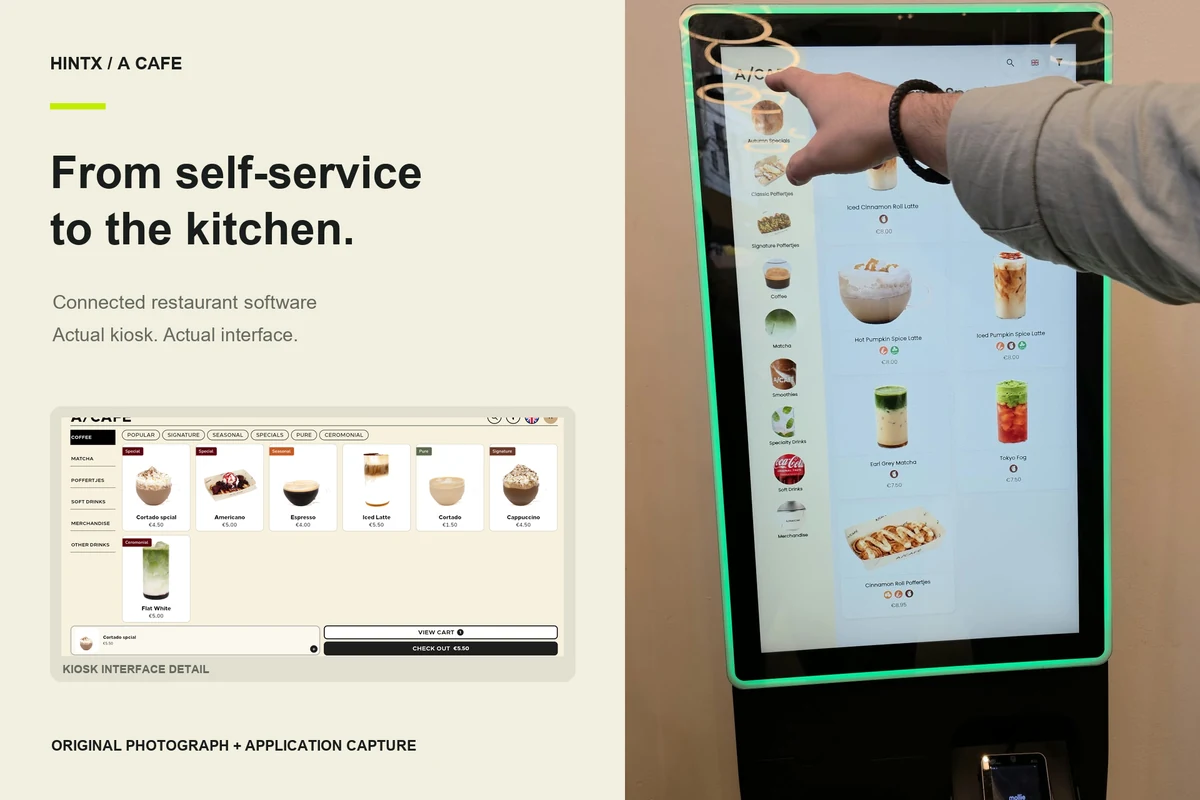
The order is only useful if the next person knows what to do.
A customer chooses a drink and customisations. Staff need a clear order. Kitchen stations need preparation state. Management needs a coherent record of what happened. A Cafe's source dossier describes the gap between those jobs: separate screens are not enough if the handoffs do not agree.
HINTX's reported role covered technical leadership, architecture, kiosk/POS mode handling, kitchen workflow, integration work and release coordination. The work adapted the licensed eFood foundation for the cafe's operational needs; it is not presented as an entirely original commerce platform.
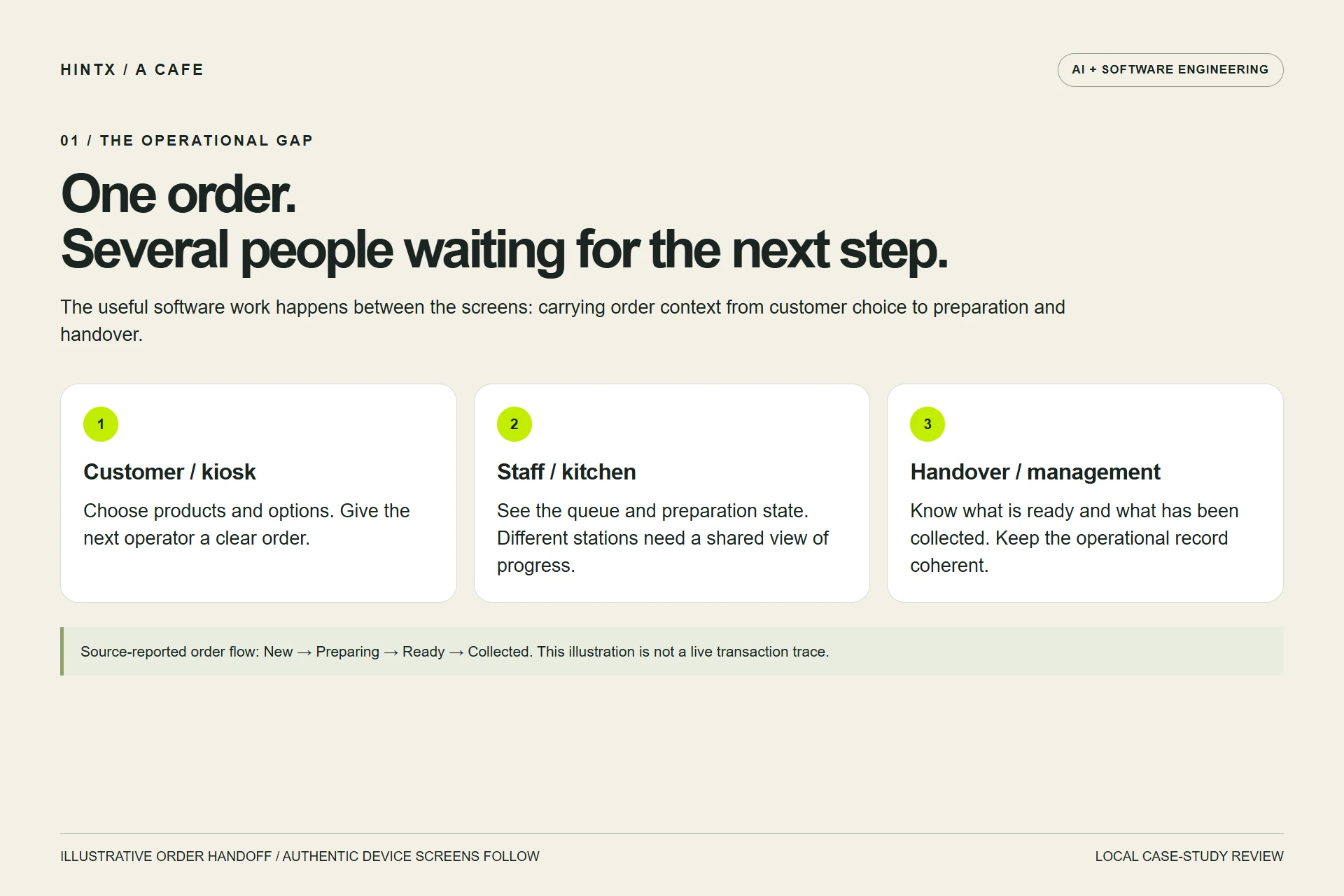
Illustrative order handoff based on the supplied project account. New, Preparing, Ready and Collected describe the reported workflow, not a newly captured live transaction. Select the image to enlarge.
01 / Let the customer start the order
The supplied product screens and installed-kiosk photograph show a branded self-service context. The engineering account describes menu categories, product options and localisation around a Flutter client. The useful design question is how customer choices reach staff with enough detail to prepare the right order.
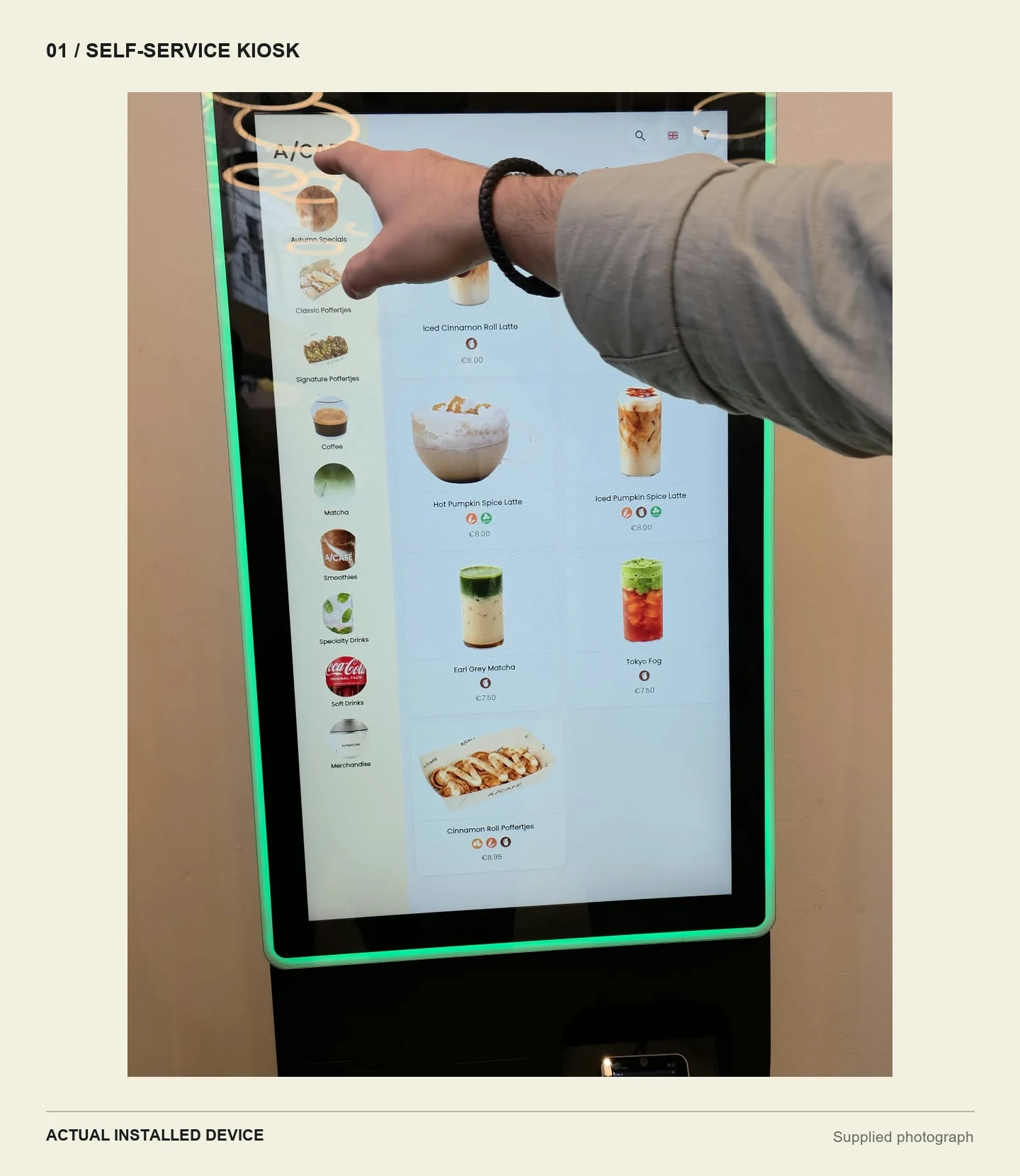
Authentic supplied photograph of the installed A Cafe kiosk. The device, screen and customer interaction are photographed, not AI-generated. The source capture crops the lower hardware. Select the image to enlarge.
02 / Make kitchen progress visible
The kitchen needs a queue it can act on, not a copy of a checkout page. Supplied screens show order cards and preparation states. The dossier describes station-specific progress and an Expo handover step, so completing one station is not automatically the same as completing the whole order.
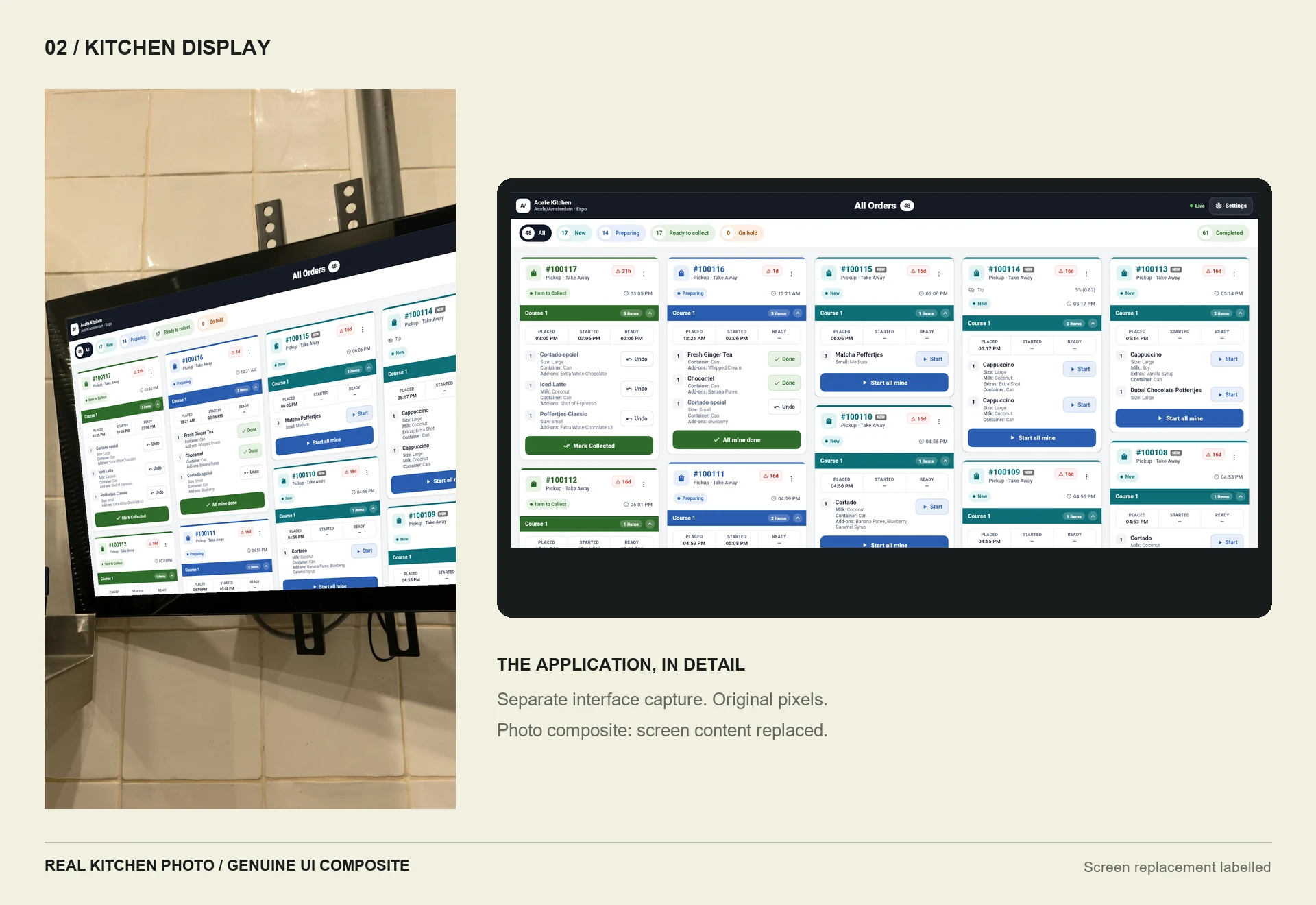
Photographic mockup: a genuine A Cafe kitchen interface is fitted into the supplied monitor photograph. The screen content is replaced to remove customer details and reflections; this is not the original photographed screen state. The separate panel shows the same interface clearly. Select the image to enlarge.
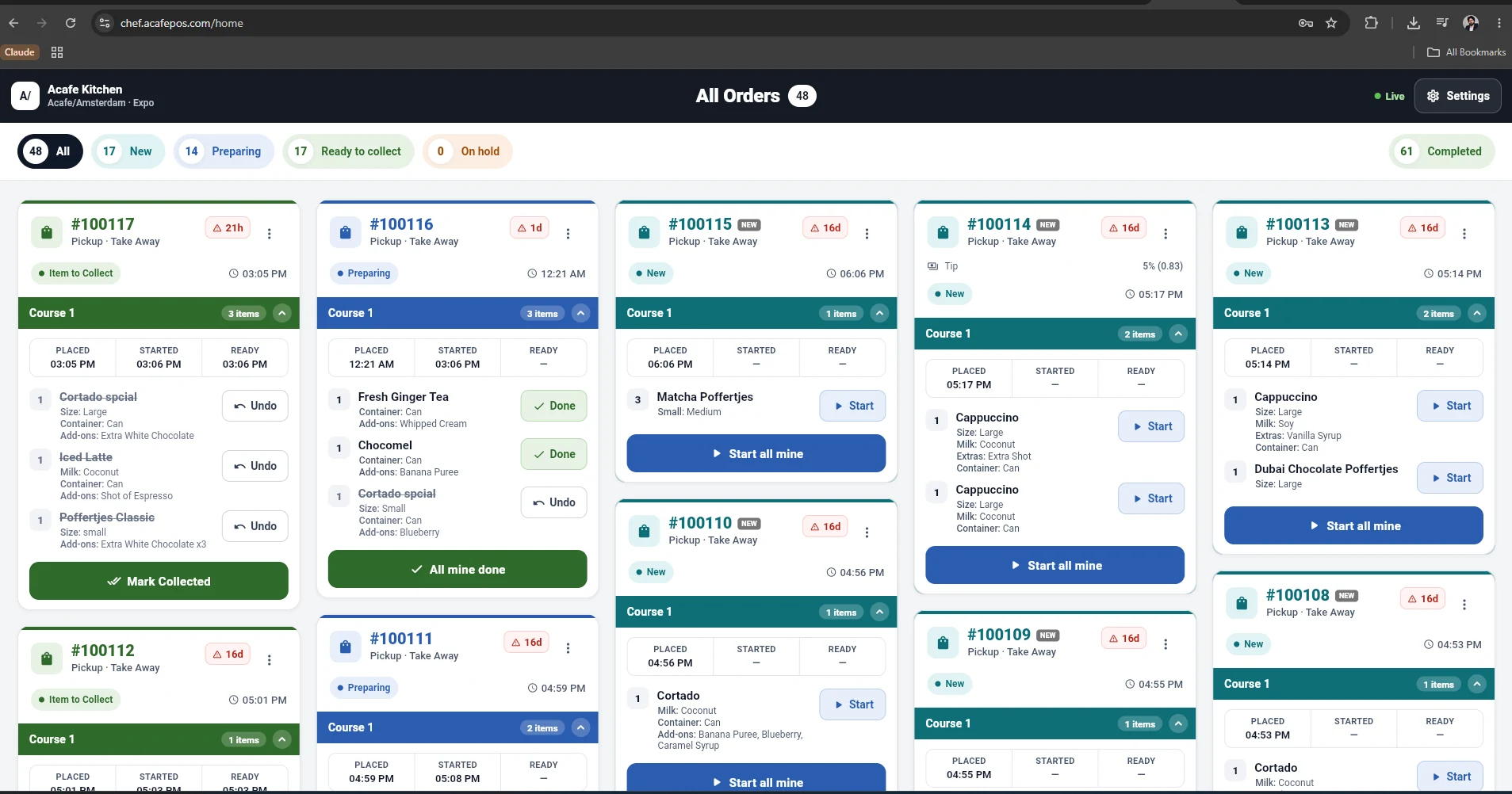
Authentic kitchen board showing preparation states. Operational references and venue identity need approval before public use. Select the image to enlarge.
03 / Keep the counter focused on the order
The staff-facing material includes order and item-detail interfaces. The presentation below fits genuine UI into a conventionally drawn countertop-device frame, followed by the unframed detail for inspection. It is not a photograph of the installed POS hardware and does not establish a completed payment, split bill or refund.
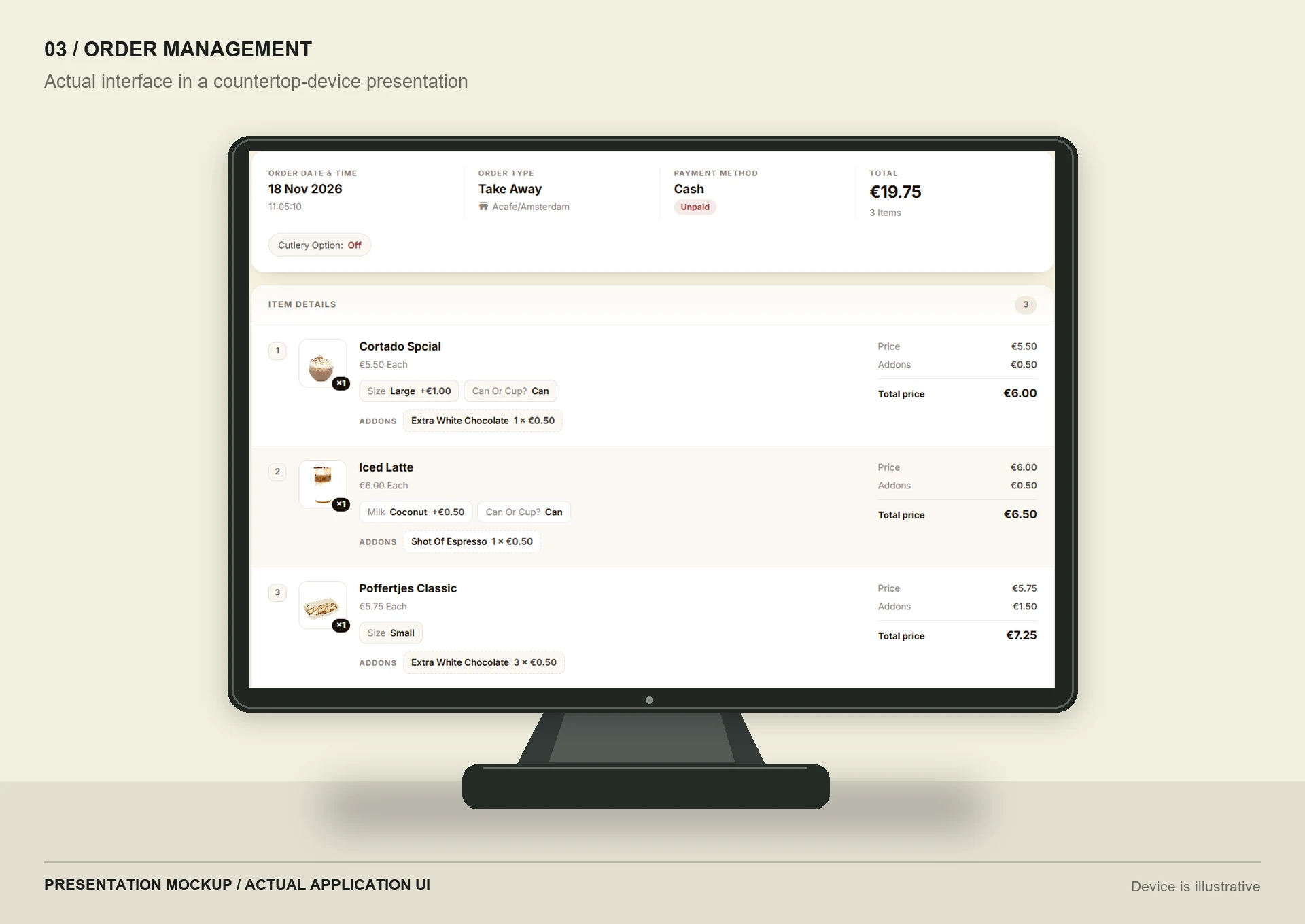
Presentation mockup: genuine order-item interface in a generic countertop device frame drawn without generative AI. The hardware is illustrative, not a photograph of the deployed POS. Customer and branch-contact panels are excluded. Select the image to enlarge.
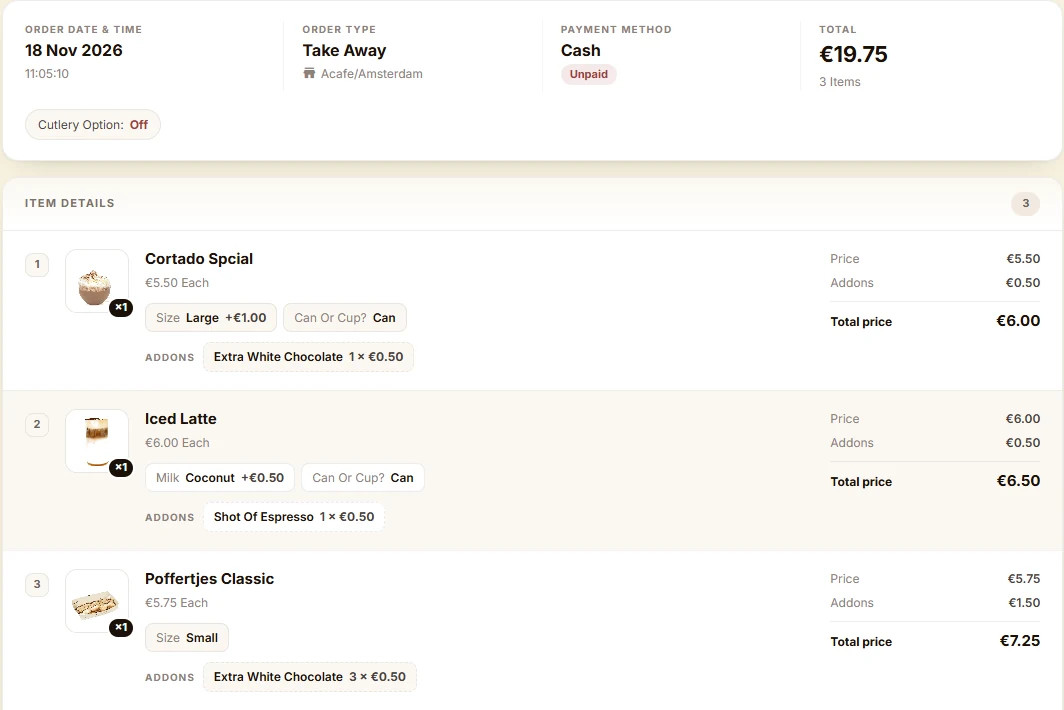
Unframed detail of the same genuine order-item interface. Product options and prices are source UI content, not claimed business results. Record identity and customer-contact panels are excluded. Select the image to enlarge.
04 / Connect the operational foundation
The source describes a shared Laravel backend, Flutter-facing roles and administration for menus, branches, staff and devices. Branch context and permission boundaries matter because head-office visibility differs from a station operator's task. The Planday workstream is described as staff linking and time synchronisation that should not block order taking during a provider outage.
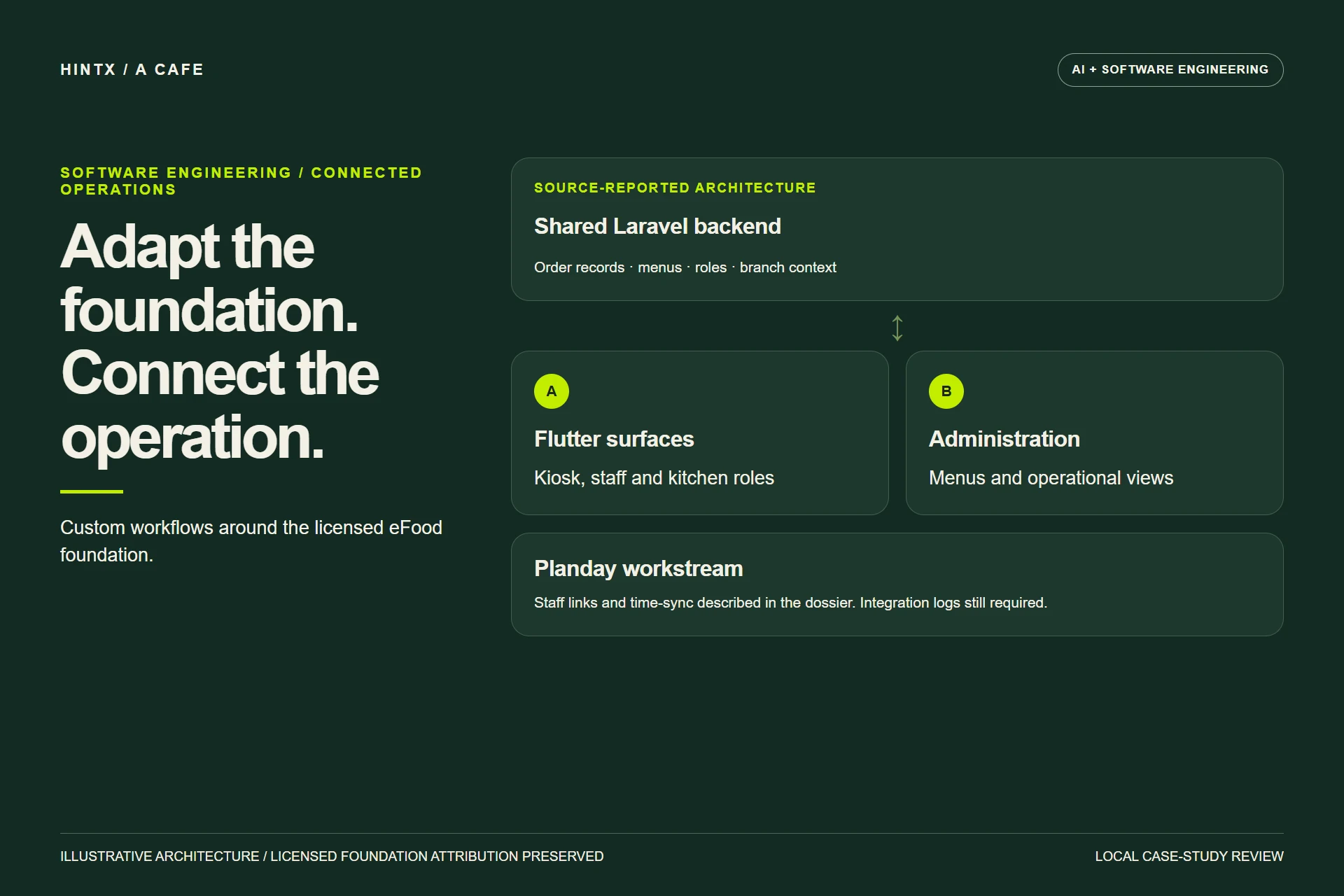
Illustrative source-reported architecture, preserving licensed eFood attribution. Planday behaviour and branch isolation still require direct acceptance evidence. Select the image to enlarge.
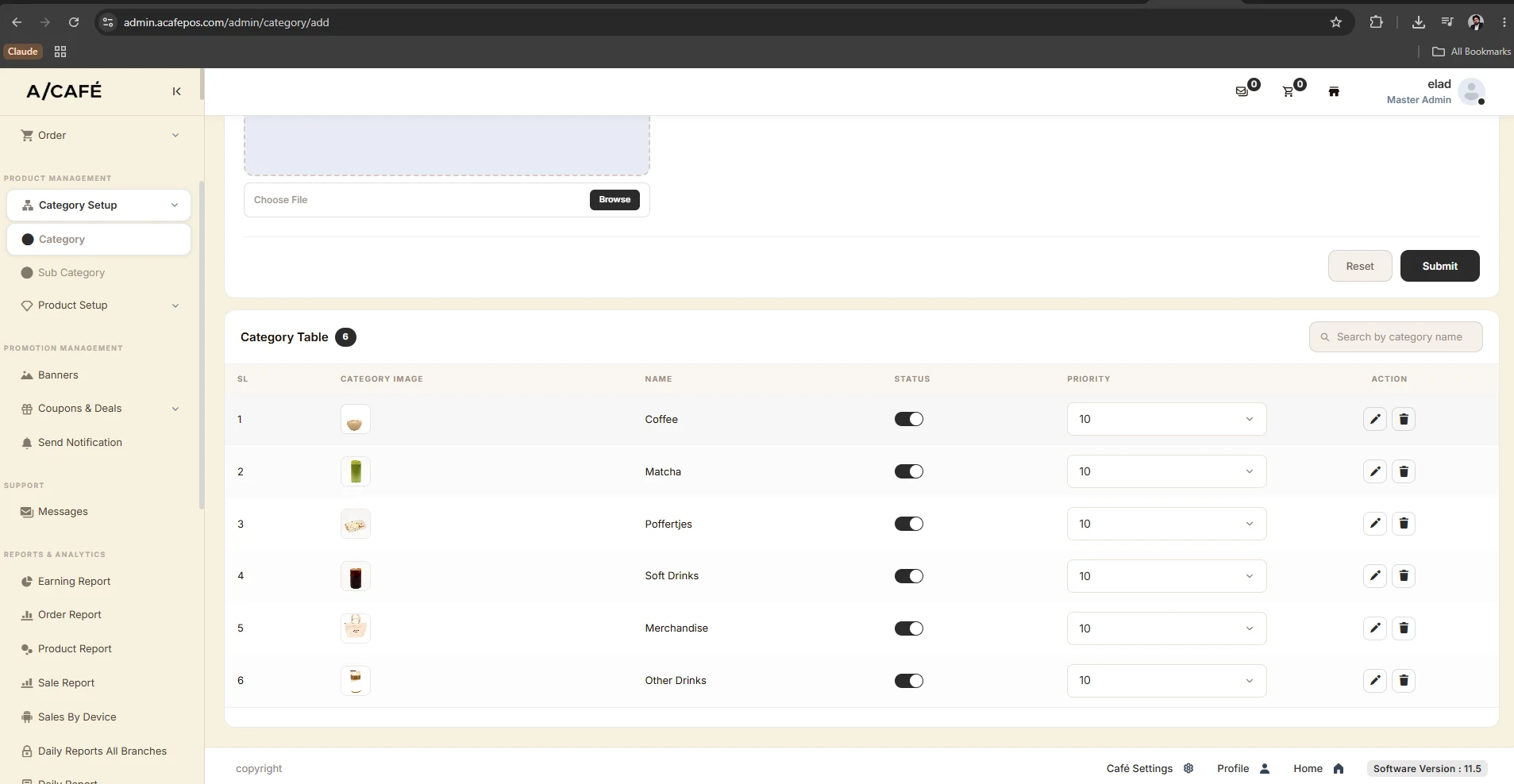
Authentic category-management screen. Product configuration is separate from order preparation. Select the image to enlarge.
What the evidence shows
Authentic screens, a kiosk photograph and cafe footage support the visible ordering and kitchen context. The dossier reports an Amsterdam-branch deployment; current production operation, payment acceptance, workforce-sync logs and the wider branch count have not been independently verified. No approximately 100-branch claim or measured time-saving claim is used.
Standalone customer and driver applications are not illustrated as delivered features without their own evidence. The source specifically describes moving the licensed foundation toward dine-in and takeaway. Unrelated Burger King footage stays excluded. Device compositions illustrate the product presentation; they are not photographs of a verified hardware installation.
Explore a related engineering problem
Business software development · DeliveryOKA (a separate licensed-foundation engagement) · Discuss your workflow with HINTX.
AI + software engineering
Make your systems work together.
Tell us about the workflow, the people using it and the constraints that matter.
Discuss your project